
 English
 Bengali
JUJILI Login — Your Account Opens in Moments
You may have found JUJILI through a friend, a cricket discussion, or while checking Bangladesh betting markets, and now you want the cleanest route into your account without guessing every button.
The good news: once your details are ready, signing in is usually a few-second job, and creating a new profile is designed for local mobile users. Here is the practical walkthrough I would give someone sitting beside me with tea and a fresh Android phone.
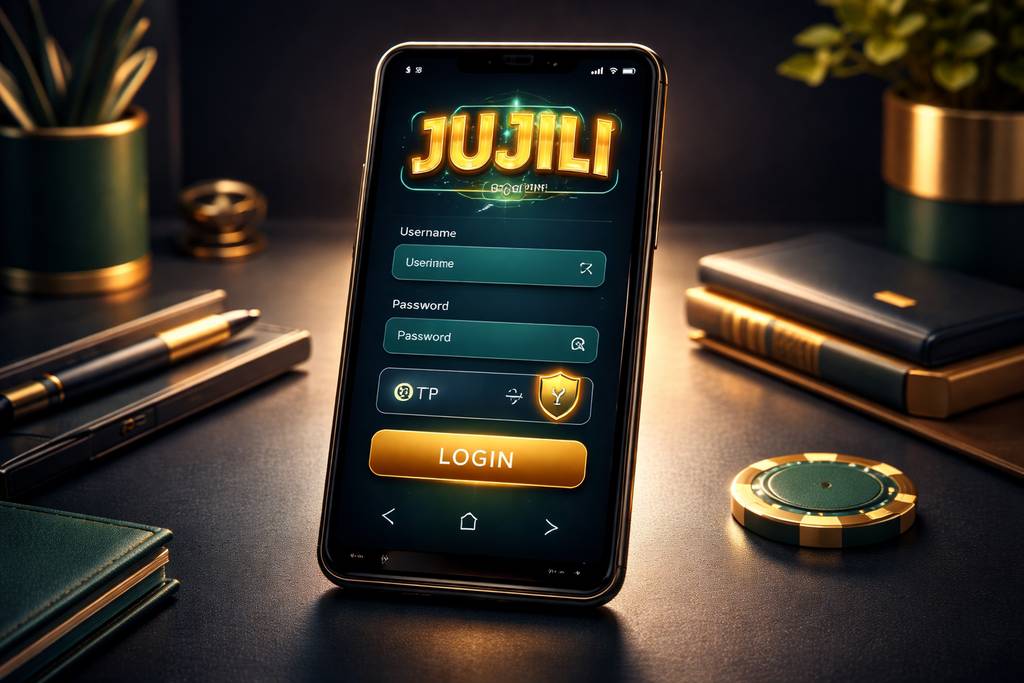
🔑 How to Log In to JUJILI
Open JUJILI in your browser or launch the app, then check the header area for the Login button. On smaller screens it may sit inside the menu, but it is still easy to spot.
Enter the username or Bangladesh phone number you used during registration, add your password, review that there are no typing mistakes, and press confirm. If the password is correct, your balance, profile, and game lobby load right away.
Three login methods:
| Method | Requires | Average Speed |
|---|---|---|
| Username + password | Type them in | ~10 sec |
| Phone number + password | Type them in | ~10 sec |
| Biometric (app only) | Fingerprint or Face ID | ~2 sec |
A small habit that saves trouble: never keep the "remember me" option active on a shared handset, office computer, gaming café device, or someone else's tablet. Untick it, log out properly, and keep your balance private.
Want the fastest repeat access after setup? Use the official Android app so you can return to your account with fewer taps and smoother loading.
📝 Creating a New Account
Starting fresh is simple because the registration flow is built around details most Bangladesh players already have ready:
- ✅ A Bangladesh mobile number that can receive SMS codes
- ✅ A payment wallet you personally control, such as bKash, Nagad, or Rocket
- ✅ 2 minutes of quiet time to enter details correctly
Step-by-step:
- Hit the Register button from the homepage, browser version, or app opening screen
- Enter your Bangladesh mobile number — use the same number connected to your wallet whenever possible, because it can help with later withdrawal checks
- Create a strong password — combine upper and lower case letters, numbers, and one symbol instead of using a birthday or simple word
- Add your full name — keep it consistent with your official identification details
- Select BDT as your account currency so deposits, wagers, and withdrawals appear in taka
- Apply a promo code if you were given one — this is where the welcome bonus or starter offer may be attached
- Verify the OTP delivered by SMS to confirm that the phone number belongs to you
- Submit the form and your JUJILI profile becomes ready for browsing
After registration, you can look through the casino lobby, check providers, and understand the layout before you decide whether to deposit. There is no need to rush your first payment.
What you don't need at signup:
- ❌ Email verification (optional, useful later but not required immediately)
- ❌ NID upload (normally requested only before withdrawal or account review)
- ❌ Selfie / KYC (only needed for withdrawals over ৳10,000)
- ❌ Address proof (not part of the basic signup form)
That makes the first account setup lighter than many platforms that ask for several documents before you even see the game menu.
🔒 Account Security Tips
Your JUJILI account is connected to money, personal information, and play history, so protect it the same way you protect your mobile wallet PIN.
Do:
- ✅ Use a unique password you have not used on Facebook, email, wallets, or other gaming sites
- ✅ Enable 2FA (two-factor authentication) if it is available in your settings, especially for new device logins
- ✅ Use biometric login on the Android app when your phone supports fingerprint or face unlock
- ✅ Sign out after playing on any device that is not completely yours
- ✅ Review login history from the security area and report unfamiliar sessions quickly
Don't:
- ❌ Share your username, OTP, or password with friends, agents, groups, or anyone claiming to help with bonuses
- ❌ Let a browser save your password on a public PC, coaching centre computer, or work laptop
- ❌ Follow password reset links you did not request — open jujili.com directly instead
- ❌ Play for real money through unsecured public wifi unless you understand the risk and use proper protection
- ❌ Trust random social media inbox messages saying they are JUJILI staff — official help comes from the site, app, or verified channels
Watch for phishing: if a message says you must log in urgently to claim money, compare the web address with jujili.com before entering anything. Extra words, misspellings, strange hyphens, or copied-looking pages are warning signs, and support will never ask you to reveal your password.
❓ Password Recovery
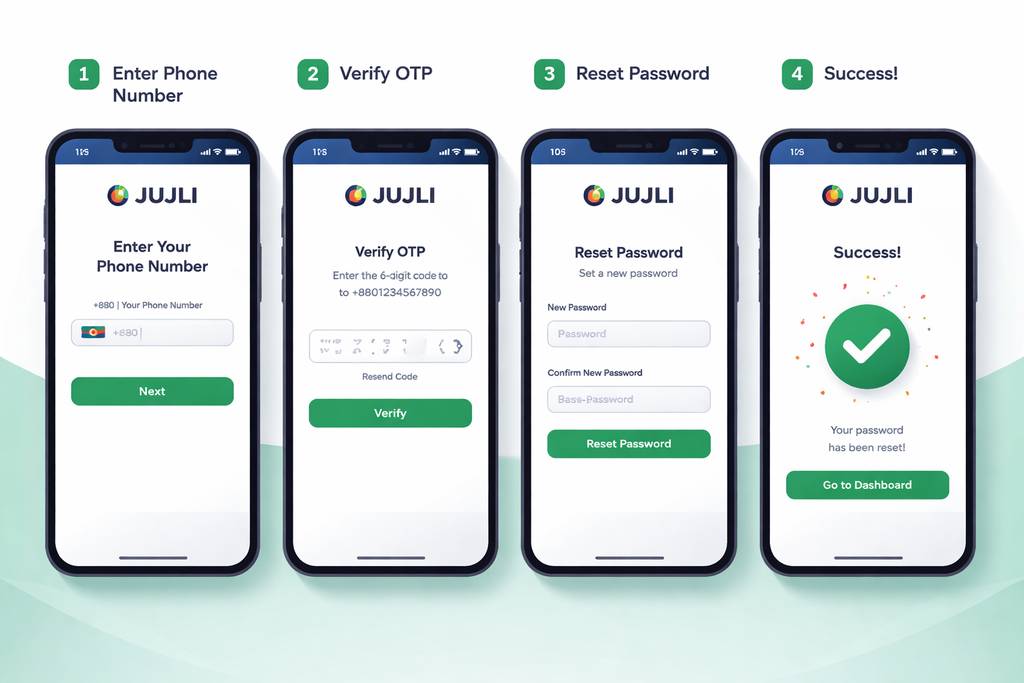
Forgotten passwords are common, especially if you created a stronger one. Use the reset route instead of trying random guesses until the account locks.
- Tap "Forgot Password" on the JUJILI sign-in panel
- Enter your registered phone number exactly as you used it during signup
- Receive the SMS code and keep the message private
- Type the code into the verification field before it expires
- Choose a new password that is different from the old one
- Return to the sign-in screen and access your account with the new details
The normal reset flow takes about 2 minutes. Codes expire after 10 minutes for security, so complete the process while your phone is beside you.
If you don't get the SMS:
- Check that your SIM has signal and can receive regular SMS messages
- Wait 60 seconds before pressing "Resend code" to avoid duplicate requests
- Try mobile data if you are on unstable wifi and the page is not refreshing properly
- Contact live chat if repeated codes fail, because support can check whether the request reached the system
If you've lost access to the phone number too:
Contact support with:
- Your registered name
- Approximate signup date
- Last deposit amount + method, including bKash/Nagad/Rocket transaction reference if available
- NID details or other verification material requested by the agent
Manual recovery can take 24–48 hours because the team must confirm account ownership before changing phone access. It feels slower, but that caution helps protect balances from impersonation.
📱 Mobile vs Desktop Login
JUJILI can be accessed from different devices, but each option feels slightly different depending on how you play in Bangladesh.
- Mobile browser (Chrome, Safari):
- ✅ Works on Android and iPhone without installation
- ✅ Useful when storage space is limited
- ✅ Lets you check balances, promotions, and tables quickly
- ❌ No biometric shortcut
- ❌ Can feel slower on weak 4G or crowded wifi - Android app:
- ✅ Faster return access after setup
- ✅ Biometric login where supported
- ✅ Better flow for live sessions and quick navigation
- ✅ Handy notifications for account activity and offers
- ❌ Android only, so iPhone users stay with browser access
- ❌ Installation may require permission for trusted APK files - Desktop browser:
- ✅ Wider layout for comparing cricket markets, live tables, and balances
- ✅ Comfortable if you like keyboard typing for passwords
- ✅ Good for longer review sessions before depositing
- ❌ No fingerprint or face unlock
- ❌ Less convenient if you usually play on the move
Most local players sign in from phones because mobile wallets, OTP messages, and quick sessions all live there. Desktop is still useful when you want a larger view of instant games, sports markets, or account settings.
🛟 Login Support & Help
If the sign-in screen will not accept your details, do not panic or keep guessing. Use one of the support paths and explain the issue clearly.
- 1. Live chat — usually found at the bottom-right of the site or inside the app
- Available for urgent account access questions
- Best for OTP delays, locked accounts, and password reset confusion
- Send screenshots only after hiding sensitive wallet details - 2. Email — [email protected]
- Better for cases requiring documents, transaction references, or longer explanations
- Include your registered phone number and a short timeline of the problem
- Do not include your password, full OTP, or wallet PIN - 3. Official channel guidance
- Use only contact routes displayed inside JUJILI
- Be cautious with forwarded Telegram, Facebook, or WhatsApp links
- Ask support to confirm safe next steps before sharing verification documents
Real account support never asks for your password. If someone demands it, stop the conversation immediately. You can also browse the slots section or promotional pages after access is restored, but security comes first.
❓ FAQ
Clear answers to the most common JUJILI login, registration, OTP, password, and account verification questions for Bangladesh users.
Register with your Bangladesh mobile number and confirm the OTP. The form is short, usually takes about 2 minutes, and does not require document upload during basic signup.
Yes, but keep sessions limited and controlled. If too many devices appear or the system sees unusual access, you may need to confirm identity by SMS or support review.
Wait 60 seconds, then request another code. Check your SIM signal, avoid airplane mode, and try mobile data if the page is stuck. Contact support if several resend attempts fail.
Yes, when you use the official site or app and protect your credentials. SSL pages, OTP checks, optional security tools, and careful password habits all reduce account risk.
Yes, but verification is required. You may need to confirm your old number, new number, and account ownership before the change is approved.
No. KYC is typically requested before certain withdrawals, account reviews, or withdrawals over ৳10,000. Basic registration is phone number, password, and OTP.
Contact support and request account closure. They will verify ownership first, settle any remaining balance according to policy, and then guide you through the closure timeline.
Stop guessing and use password recovery. A temporary lock may apply after repeated failed attempts, but a verified reset usually gets you back in faster and more safely.
💭 Final Word
JUJILI login and registration are built for the way Bangladesh players actually access online casinos: phone first, OTP ready, wallet nearby, and quick sessions between daily routines.
If anything goes wrong, start with live chat or email rather than trusting outside groups. A genuine support agent can help you recover access, but they will never need your password or wallet PIN.
Use a strong password, keep your phone number updated, enable extra security where possible, and consider the JUJILI app for quicker return access. Once you are inside, explore responsibly across casino, sports, slots, and bonuses at your own pace.